
Logos and names on the order
Collect Info and Request Information pull missing artwork or spelling onto the same record as the tumbler they paid for.
Orderflow for laser engraving
An engraved tumbler or cutting board is paid in Shopify long before it is safe to run. You still need the name, the logo, a proof on that material, and a date it has to leave.
Orders
Active Orders
Noah Patel
Engraved tumbler set — 8
Ship by
Oct 4
Cedar & Co
Logo cutting boards — 6
Ship by
Oct 8
Elena Ruiz
Coordinates necklace bar
Ship by
Sep 30
Summit Realty
Closing gift flasks — 20
Ship by
Today
Do not engrave until they approve the layout.
The problem after checkout
The customer paid for a set of tumblers. The logo they meant is not the file in the cart. Or the name is spelled the way it appeared in autocomplete. Running the job now is how you eat the blank.
Shopify recorded the engraving sale. Orderflow is for details, proof, and the production pass that sale still needs.
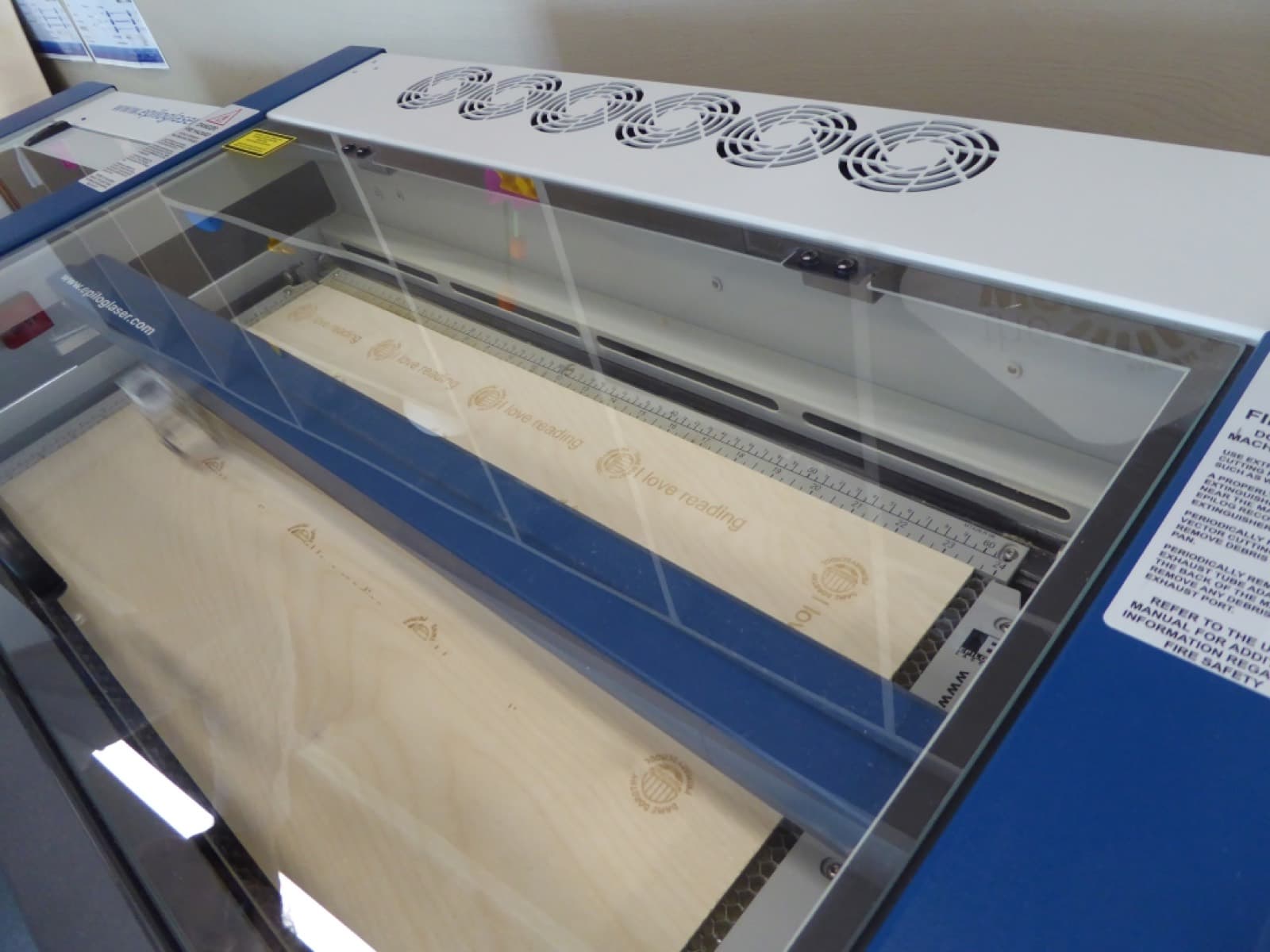
Every shop’s machine and materials differ. The expensive mistake is the same: running before the layout is approved.
The paid Shopify order is on the queue with whatever personalization checkout captured.
Collect the logo, the exact spelling, or a better file on that order.
Send a mock on the actual product so they approve size and placement.
Only then does the job belong in a ready-to-run status.
Internal Note can hold fixture, wattage, or pass-count notes the customer should never see.
Pack, fulfill in Shopify, and keep the history on the order if they ask what was approved.
#6721
Engraved tumbler set — 8
Proof SentLaser work is unforgiving. Orderflow will not run the job for you. It makes the approval and the material notes hard to lose.
Collect Info and Request Information pull missing artwork or spelling onto the same record as the tumbler they paid for.
Proof Review is the pause between layout and laser. Revisions stay versioned.
Internal Note is for fixture, focus, and coating. Customer Message is for “your proof is ready.”
Waiting on artwork, proof sent, ready to engrave, and packed are your names — not a built-in laser pipeline.
Weddings and corporate kits have a Ship by date that should outrank whichever order arrived last.
Noah Patel
Cedar & Co
Elena Ruiz
#6721
Noah Patel
noah@example.com
Ship by
Oct 4
Fulfillment
Unfulfilled
Layout is on the tumbler mock. Check spelling on the last two names before we run the set.
The order workspace
Sample engraving jobs for layout. Not real production counts.
From the bench
Orderflow
#1042
Custom print — 11×14
Ship by Today
#1041
Personalized mug
Ship by Sep 26
#1038
Photo blanket
Ship by Sep 29
Ready to stop re-running blanks?
Orderflow does not control a laser. It keeps the Shopify order honest about whether the job is actually ready to run.
No. The machine, LightBurn or other software, and fixtures stay in the shop. Orderflow is the order workflow around those tools.
Yes. Internal Note is for the shop. It stays off customer-facing messages so a wattage note does not go out in a status email.
Keep it. Orderflow is for the rest: a better logo, a proof on that product, and a status that means “safe to engrave.”
Practical guides for the workflow on this page. These are not Help articles.